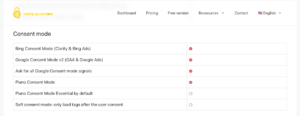

Google Consent Mode v2 can be implemented in two ways: Basic and Advanced.
Both use consent choices to adjust the behaviour of Google services, but their behaviour before consent is very different.
In Basic, Google tags are blocked before consent. In Advanced, they can load with denied consent states and send cookieless measurements.
Choosing between them is therefore not simply an analytics performance setting. It also determines what is technically transmitted to Google when a visitor has not consented.
What is Google Consent Mode for?
Consent Mode communicates a visitor’s consent state to Google tags.
Google can then adjust the behaviour of its products according to the values it receives.
Consent Mode v2 notably uses four important parameters: analytics_storage, ad_storage, ad_user_data and ad_personalization.
analytics_storage notably relates to storage used for analytics. ad_storage relates to advertising storage. ad_user_data controls consent for sending user data to Google for advertising and ad_personalization relates to personalized advertising.
Consent Mode is not a CMP
Before comparing Basic and Advanced, it is important to avoid a common misunderstanding.
Consent Mode does not itself obtain valid consent from a visitor. It provides a mechanism for telling Google products which choice has been made.
An interface or another mechanism is therefore still needed to obtain that choice when consent is required.
A CMP such as tarteaucitron can manage the interface and service loading and then communicate the corresponding states to Google.
Basic mode blocks tags before consent
Basic behaviour is the easiest to visualize.
Until the visitor grants consent, the relevant Google tags are blocked.
Google states in its documentation that no data is transmitted before consent in this configuration, not even the default consent status.
If the visitor rejects, the tags remain blocked. If the visitor accepts, they can load and receive the corresponding consent states.
Basic resembles conventional CMP behaviour
This is also why the approach is very easy to understand with a traditional CMP.
Before consent: the service does not load.
After consent: the service can load.
After rejection: the service remains blocked.
The logic is explicit and can be verified very easily in Network using DevTools.
Advanced mode loads tags earlier
Advanced works differently.
Google tags load when the visitor arrives. Consent states are defined, generally as denied when the user’s choice needs to be awaited.
While consent is denied, Google states that its tags can send cookieless measurements or pings.
If the visitor subsequently accepts, the relevant states switch to granted and tags can use their full capabilities according to the choices granted.
“Cookieless"does not mean"no data is sent”
This is probably the most important point for understanding the difference.
In Advanced, denying analytics_storage or ad_storage does not mean that the browser stops communicating with Google.
Google still receives certain cookieless measurements together with information relating to consent states.
Advanced should therefore not be described simply as a way to “respect rejection while collecting nothing”. A transmission still occurs, even though its content and behaviour differ from full measurement with consent.
Why does Google offer Advanced mode?
The main objective is measurement and modelling.
When no information is transmitted by visitors who have not consented, Google has less website-specific data available to estimate missing conversions or behaviour.
With Advanced, cookieless pings provide additional signals that can feed modelling mechanisms.
Google therefore states that Advanced enables advertiser-specific modelling, whereas Basic relies on a more general model.
Advanced is not simply “Basic but better”
From a Google Ads or Analytics perspective, Advanced provides more measurement capabilities.
From a consent architecture perspective, however, it is a different choice.
Basic essentially says: “the relevant Google service does not communicate with Google before authorization”.
Advanced says: “the service can communicate with Google in a limited mode before authorization and then adjust its behaviour according to the choice”.
These are not the same technical properties.
Which mode can tarteaucitron use?
tarteaucitron supports Google Consent Mode v2 in both its open-source and Pro versions.
The selected mode depends on the desired configuration.
With a Basic approach, tarteaucitron can preserve the conventional behaviour of loading the relevant Google services only after consent.
With an Advanced approach, Google tags can be allowed to operate with the appropriate consent states in order to use their cookieless behaviour before any subsequent acceptance.
Consent Mode does not replace blocking other services
Another mistake is enabling Consent Mode and then considering the entire website managed.
Consent Mode concerns the behaviour of compatible Google products.
It does not automatically give instructions to Meta Pixel, LinkedIn, TikTok, a chat tool, an independent advertising platform or an arbitrary iframe.
The CMP therefore remains necessary to manage other website services when those services require consent.
GTM and Consent Mode are different subjects
Google Tag Manager can trigger tags and provides mechanisms for taking consent states into account.
But adding Consent Mode to GTM does not automatically guarantee that every custom tag correctly respects those states.
Google tags have built-in consent checks. Other tags may need explicit configuration.
This is why I always distinguish the GTM container, the tags it contains and Consent Mode states.
Basic is the easiest choice to explain
If the objective is to maintain an architecture where no data is sent to Google before consent, Basic directly matches that rule.
It is also easy to audit: before acceptance, no request from the relevant Google tags should be sent.
This simplicity may be useful for an organization favouring a cautious approach or one that does not need to heavily optimize advertising modelling.
The trade-off is fewer signals available to Google’s modelling mechanisms.
Advanced puts more emphasis on measurement
Advanced becomes particularly relevant when Google Ads and conversion measurement play an important role.
Cookieless signals give Google more information for its models even when some visitors reject storage.
For a website whose acquisition depends heavily on Google Ads campaigns, this difference may have operational value.
The important point is to understand and deliberately choose this technical behaviour rather than enabling Advanced because its name sounds like a superior version.
The legal question does not disappear with the word denied
Setting analytics_storage: denied is not, by itself, a legal conclusion regarding all processing performed.
Consent Mode is a technical API provided by Google. Determining which processing is permitted, what information needs to be provided and which consent mechanism is appropriate remains the responsibility of the website publisher.
Google also makes this clear in its technical documentation: the states used need to match the policies and requirements of the organization implementing the system.
A value called denied therefore describes a state sent to Google’s API, not an automatic compliance certification.
How can you verify which mode is being used?
DevTools once again make the implementation relatively easy to understand.
In Basic, the relevant Google tags should be absent before consent and no data should be sent to Google by those tags.
In Advanced, tags may appear before the choice and cookieless requests may be visible while consent states are denied.
After acceptance, you should then check that states are correctly updated and that services switch to the expected behaviour.
I explain the general method in my DevTools testing guide.
So, Basic or Advanced?
There is no single answer for every website.
I would choose Basic when a simple architecture and no transmission to Google before consent are priorities.
I would consider Advanced when Google’s measurement and modelling benefits are genuinely useful and its behaviour has been understood and validated in the website’s context.
In both cases, the most important question is knowing precisely what happens before the visitor clicks “Accept”. The words “Consent Mode” alone do not answer that question.