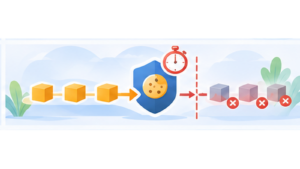

A CMP can display a beautiful banner while still allowing Google Analytics, Meta Pixel or another service to send requests before the visitor has made a choice.
To know whether an installation actually works, I therefore prefer looking at what the browser does rather than what the banner displays.
DevTools built into Chrome, Firefox, Safari and Edge already provide most of what is needed for basic verification. A specialized scanner is not required for these initial checks.
What are we trying to verify?
The principle is quite simple.
On a first visit, before any interaction with the banner, services requiring consent should not operate.
After rejection, they should remain blocked. After acceptance, they can load according to the choice made.
The test therefore mainly consists of comparing three situations: before the choice, after rejection and after acceptance.
Start with a clean session
Before each test, avoid allowing a previous consent choice to affect the result.
The simplest method is to use a private browsing window or delete the website’s data before reloading the page.
In Chrome and Chromium-based browsers, the Application tab in DevTools can be used to inspect and remove cookies and various locally stored data.
The goal is to reproduce the situation of a new visitor arriving without any previous choice.
Open Network before reloading the page
The Network tab is probably the most useful tool for testing a CMP.
I open it before reloading the page so requests are captured from the very beginning.
The option to preserve the log can also be useful when the test involves navigation or a reload.
Once capture is active, I completely reload the page without touching the banner.
Search directly for known services
If the website uses GA4, YouTube, Meta Pixel or reCAPTCHA, I start by searching Network for domains and resources associated with those services.
The goal is not to memorize every URL used by each provider. Searching for a few characteristic terms belonging to a service known to be present is generally enough.
If a request corresponding to a service requiring consent appears immediately while the visitor has not made a choice, the reason needs to be understood.
In an implementation where that service should be blocked before consent, the problem is already visible.
Be careful about the difference between downloading and executing
During diagnosis, the architecture needs to be understood precisely.
A script directly present in HTML may be downloaded and executed immediately. A resource may also be injected later by Google Tag Manager, a WordPress plugin or another script.
The Network panel shows requests that actually occur, while DOM inspection helps explain where a tag present on the page comes from.
These two views complement each other.
Inspect the HTML and DOM
In the Elements or Inspector tab, depending on the browser, I also search for scripts belonging to the relevant services.
In manual mode with tarteaucitron open source, a common mistake is correctly declaring GA4 in tarteaucitron while leaving the old Google Analytics tag directly on the website.
In that situation, tarteaucitron controls its own GA4 integration, but it cannot magically prevent a second independent tag that has already been executed by the page.
The service must actually pass through the CMP.
Check script loading order
I then look at where the CMP appears relative to the services it needs to control.
With tarteaucitron Pro automatic detection, the marker needs to load as early as possible, before the trackers it is expected to detect and block.
If a third-party service appears and executes before tarteaucitron, the CMP arrives too late.
This is why loading order is a fundamental rule for this type of implementation.
Run a first test without clicking the banner
Once the page has loaded, I deliberately click nothing.
I inspect Network requests and existing cookies.
Trackers requiring prior consent should not suddenly appear simply because a few seconds have passed or because I scrolled the page.
Under current French guidance, simply continuing to browse does not constitute consent: acceptance requires a clear positive action.
Then test “Reject all”
I reload with a clean session and this time reject the services.
After clicking, I continue monitoring Network.
A rejection should obviously not cause the services that were just rejected to load.
I also navigate to another page to check that the choice is remembered and that the banner does not immediately ask the same question again.
Check cookies after rejection
The Application tab can then be used to inspect cookies for the domain and, depending on the browser, various forms of local storage.
Do not conclude that every cookie present is necessarily a problem. Some trackers may be strictly necessary for the service and not subject to the same consent mechanism.
What interests me most is finding a cookie belonging to a service that was supposed to remain blocked.
If GA4 was rejected and its integration should not operate, finding its cookies provides a good starting point for diagnosis.
Finally run the opposite test with “Accept all”
I start again with a clean session and accept the services.
This time, requests that were previously absent should be able to appear.
The test therefore verifies both sides of the mechanism: can the CMP prevent loading before consent and can it then correctly allow the service?
A CMP that perfectly blocks a service but can never load it after acceptance is not correctly integrated either.
Test choices service by service
The global button is only a first test.
I then open the detailed panel and accept one service while rejecting another.
If GA4 is accepted while YouTube is rejected, the corresponding behaviours should remain independent.
This is particularly important with Google Tag Manager and cascading consent. Accepting a container should not automatically be interpreted as accepting every service it may contain.
Test iframes and external content
YouTube, Google Maps and other iframe-based services also deserve a visual check.
When content is blocked, the page may display a placeholder or button allowing the visitor to authorize that service.
I then check that no request to the provider was made before authorization and that the content appears correctly afterwards.
Hiding an iframe with CSS obviously does not constitute blocking if the iframe has already loaded behind the placeholder.
Look at the Initiator column
When an unexpected request appears, the Initiator column in Network is particularly useful.
It can often identify the script or execution chain that caused the request.
This can reveal that a tracker does not come from the code originally suspected. It may be injected by GTM, a WordPress plugin, an external widget or another script.
This is often much more efficient than randomly searching through thousands of lines of code.
Do not forget JavaScript errors
I also take a quick look at the console.
A CMP may correctly block a service while causing an error in another script that assumed the service would always be available.
The website therefore needs to remain functional when optional services are rejected.
Refusing consent should not break a menu, shopping cart or essential feature unrelated to the blocked tracker.
A simple test is more useful than a “compliant” badge
This method is obviously not a complete legal audit of the website.
It does, however, answer a fundamental technical question: are the services the CMP claims to control actually being controlled?
I find this verification much more useful than the mere presence of a logo, green scanner or message stating that the CMP is correctly installed.
A few minutes in Network can often reveal an incorrect implementation immediately.
My verification routine
- Open a clean session.
- Start Network before loading.
- Reload without making a choice.
- Search for the main third-party services.
- Inspect cookies and the DOM.
- Repeat after “Reject all”.
- Repeat after “Accept all”.
- Test a few individual choices.
- Check iframes and external content.
- Use Initiator for any unexpected request.
A CMP is ultimately JavaScript running inside a browser. The browser provides exactly the tools needed to observe what it is actually doing.