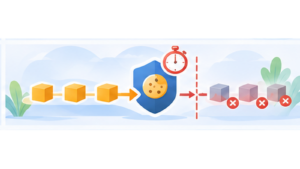

Dailymotion is changing how videos are embedded on websites. The old URL format is gradually being replaced by a new player system associated with a specific identifier called a Player ID.
This change affects websites embedding Dailymotion videos, including those using tarteaucitron.js to prevent the player from loading before visitors give their consent.
I have therefore updated the Dailymotion service in tarteaucitron.js to support the new format while preserving compatibility with existing integrations.
Why Dailymotion is changing its embed URLs
Historically, a Dailymotion video could be embedded in an iframe using a relatively simple URL:
https://www.dailymotion.com/embed/video/x84sh87Dailymotion has been migrating to a new embedding system in which the player has its own identifier. The new structure uses the geo.dailymotion.com domain:
https://geo.dailymotion.com/player/PLAYER_ID.html?video=x84sh87The PLAYER_ID parameter identifies a player configuration created or selected in Dailymotion Studio. It should not be confused with the video identifier, which is still passed through the video parameter.
This approach allows Dailymotion to centralize player settings, track performance and manage certain monetization features.
According to the official migration documentation, legacy URLs have been redirected to the new system since October 2024. Dailymotion also established February 3, 2026 as an important milestone in retiring legacy integrations.
A Player ID is now required
The change goes beyond the domain name used by the iframe.
In its current documentation, Dailymotion states that a valid Player ID is required for supported embeds. A URL without this identifier may return HTTP 403 and prevent the video from being displayed.
The new format therefore separates two elements:
- The Player ID, which identifies the Dailymotion player configuration.
- The Video ID, which identifies the video to display.
To retrieve a Player ID, the website owner needs to use Dailymotion Studio and select an available player configuration. The ability to create and customize players depends on the Dailymotion plan.
Simply replacing www.dailymotion.com with geo.dailymotion.com in an old URL is therefore not enough.
What I changed in tarteaucitron.js
The fix is available in GitHub commit 030ac19, associated with issue #1420.
The change affects the Dailymotion service defined in tarteaucitron.services.js and its minified version.
I added support for reading a new playerId attribute from the integration configuration.
When this identifier is provided, tarteaucitron.js now generates the iframe using the new format:
https://geo.dailymotion.com/player/PLAYER_ID.html?video=VIDEO_IDThe same principle applies to playlists, using the playlist parameter instead of video.
When playerId is not provided, tarteaucitron.js continues generating the legacy embed URL.
This avoids abruptly changing the behavior of existing installations. However, it does not guarantee that legacy URLs will continue working, as their support now depends on Dailymotion.
How to update a Dailymotion integration
For an integration using the Dailymotion service in tarteaucitron.js, the first step is to retrieve the Player ID from Dailymotion Studio.
The identifier must then be added to the HTML element used to declare the video. The Dailymotion service reads this new attribute when building the iframe.
The configuration must therefore contain both the video identifier and the player identifier. The first determines which content to display, while the second selects the Dailymotion player configuration.
A version of tarteaucitron.js containing the fix is also required. Updating the HTML alone is not sufficient if the JavaScript loaded on the website does not yet recognize the new attribute.
Existing customization options should also be reviewed. Dailymotion states that several legacy URL parameters are no longer supported by the new player. Where possible, the corresponding settings must be configured in Dailymotion Studio.
Consent is still required before loading
This URL change does not affect the fundamental behavior of tarteaucitron.js.
Embedding a Dailymotion video can involve requests to the provider’s servers and the use of tracking technologies. Loading the player must therefore remain conditional on consent whenever consent is required.
tarteaucitron.js retains its usual mechanism: a placeholder can be displayed instead of the video, and the iframe is created once the visitor authorizes the service.
The new geo.dailymotion.com domain should not be interpreted as an exemption from consent. It is a technical change made by the provider, not a change to the rules governing trackers.
I explained this behavior in more detail in Iframes, embeds and granular consent.
How to check that the video works
After updating the integration, I recommend testing it directly in the browser.
- Reload the page without prior consent and verify that the Dailymotion player is not loaded.
- Allow Dailymotion through the tarteaucitron.js interface.
- Check that the iframe uses geo.dailymotion.com and includes the expected Player ID.
- Inspect the Network panel in DevTools for possible HTTP 403 errors.
- Test actual video playback and any specific player settings.
An iframe being present in the DOM does not prove that the integration works. The player must also render correctly and allow the video to play.
For additional guidance, I have also published an article about testing a consent banner with browser DevTools.
An external change requiring an integration update
Third-party services evolve regularly. They change their APIs, domains, parameters and sometimes their embedding requirements.
For a library such as tarteaucitron.js, these changes require ongoing maintenance of service integrations, even when the underlying consent mechanism remains unchanged.
Dailymotion is a good example: the principle is still to load the video only after authorization, but the generated URL must now account for a new player configuration.
The fix allows tarteaucitron.js to support this change. Websites affected by the migration still need to obtain a valid Player ID and verify their integration after updating.